
You can enable and manage notification alerts on LCX in two ways:
- Via Notification Settings
Go to Settings → Notification in your LCX account.
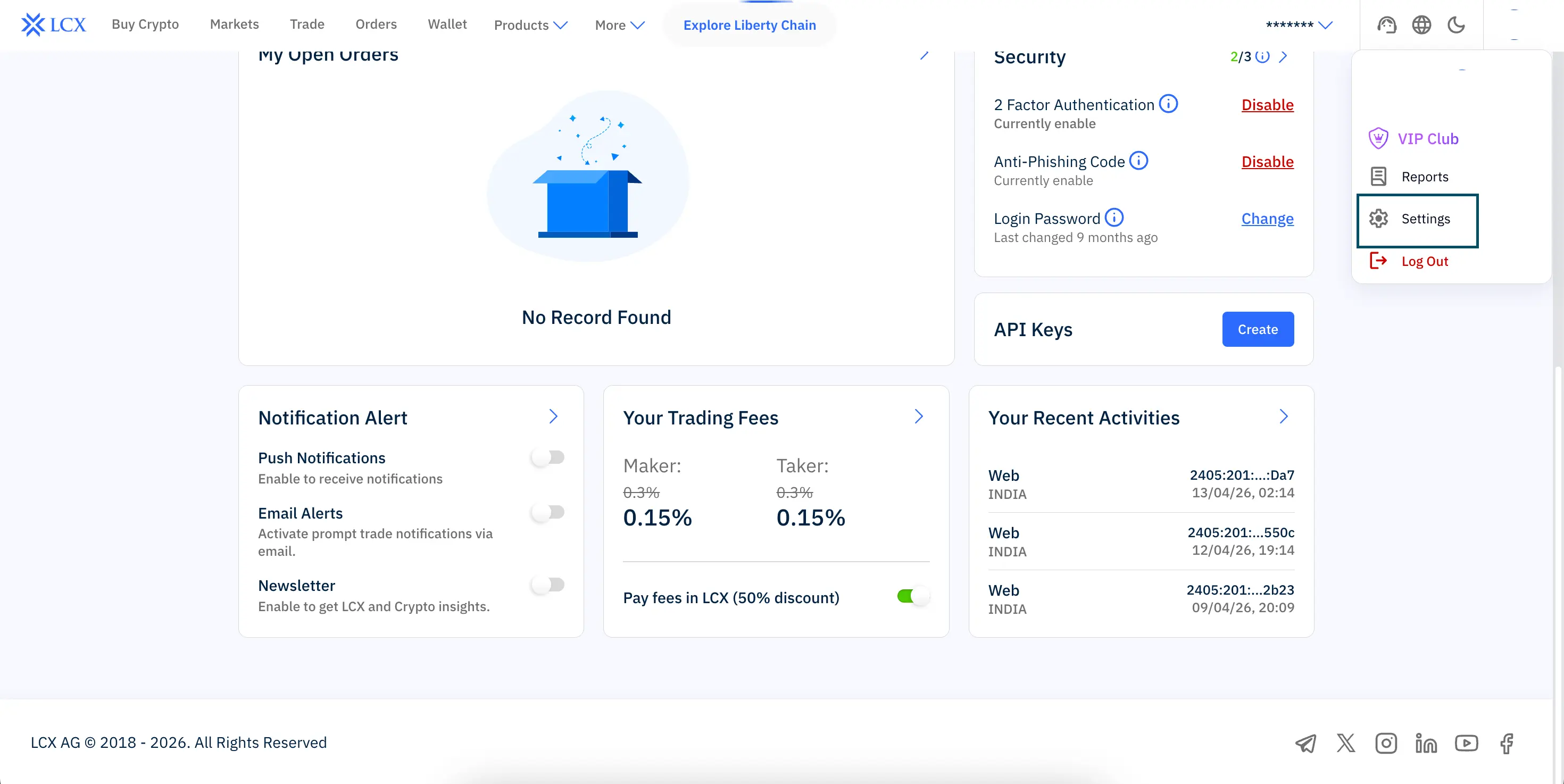
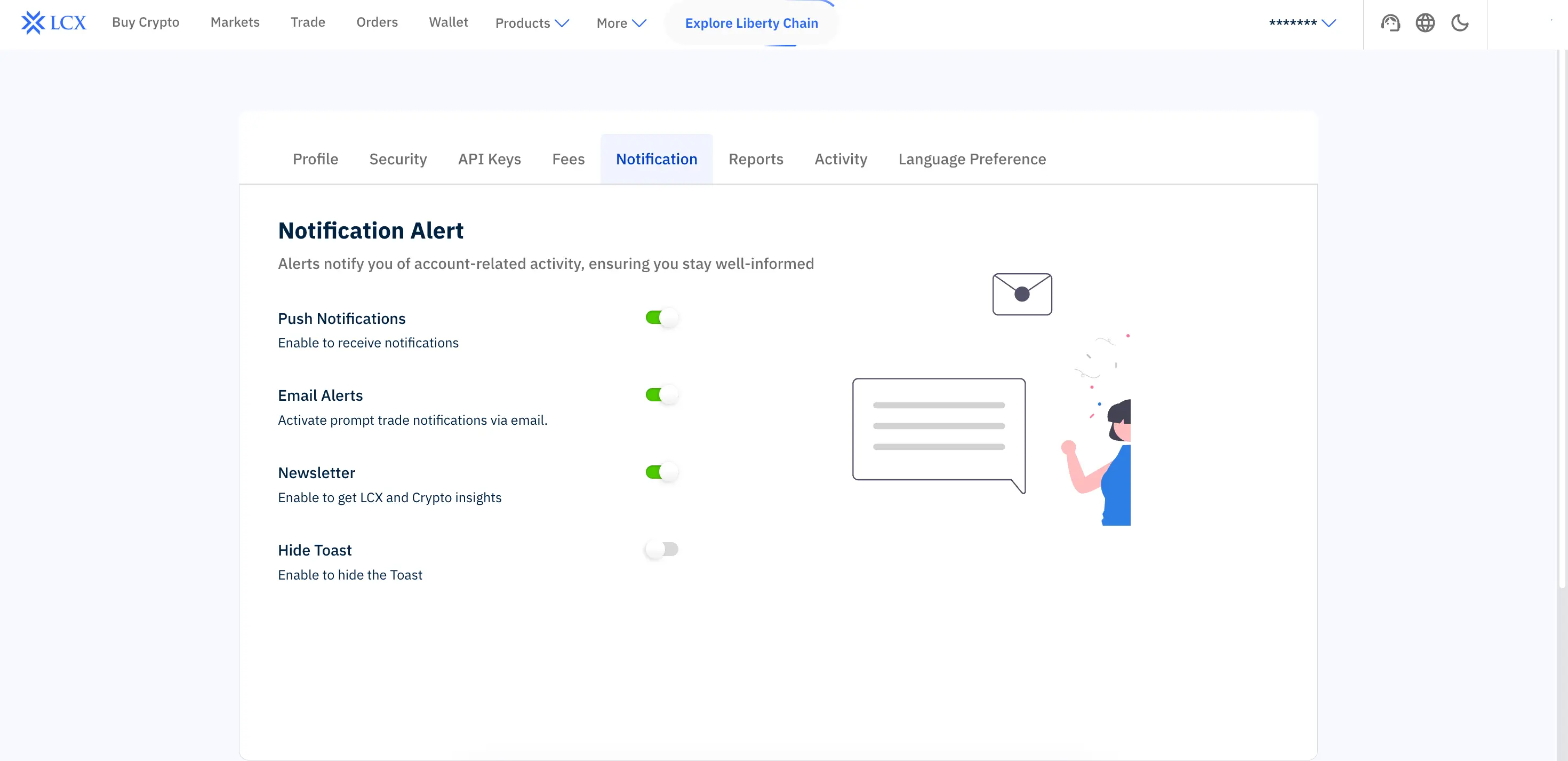
Here you can configure all alert preferences, including:
- Push notifications for account activity
• Email alerts for trading and security updates
• Newsletter subscription for LCX insights
• Additional system notifications
This is the main and most complete way to manage all notification preferences.

- Via Account Dashboard
You can also adjust basic notification preferences directly from your LCX account dashboard.
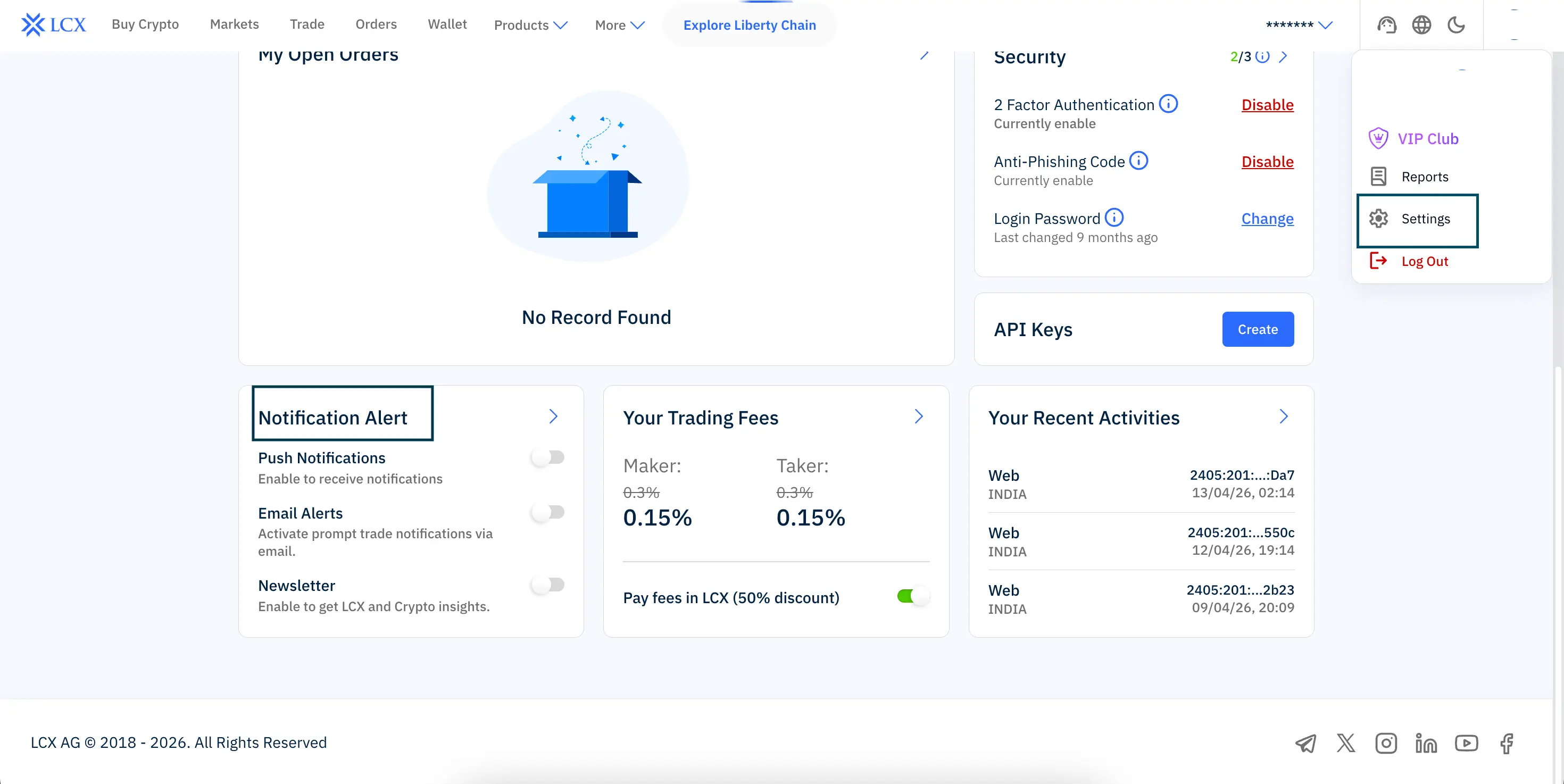
In the Notification Alert section, you can toggle:
• Push notifications
• Email alerts
• Newsletter updates
This allows you to quickly enable or disable alerts without going into full settings.