

This status appears when a deposit arrives from a wallet address we haven’t seen on your account before. For your security, we need you to confirm that the sending address belongs to you before the funds can be credited.
Here’s what you need to do :
- Log in to your LCX account
- Go to Wallet → Deposit & Withdrawal History
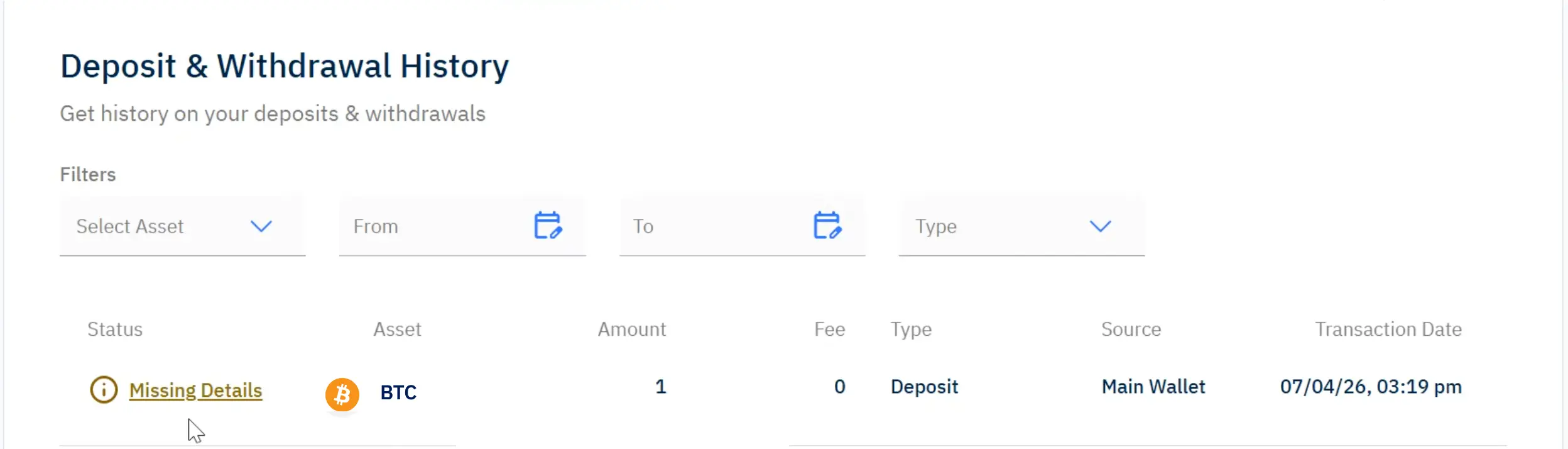
3. Find the deposit marked “Missing details” and select it
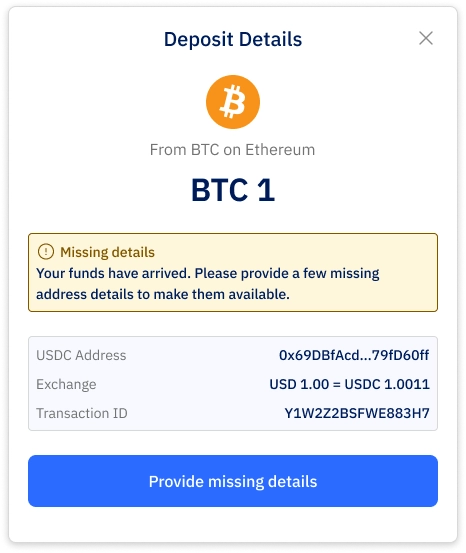
4.Next, choose the appropriate option:
- Centralised Provider
If your deposit was sent from an exchange or platform (e.g., Coinbase, Kraken), select “Centralised Provider” and choose the relevant platform from the list - Self-Hosted Wallet
If your deposit was sent from your personal wallet (e.g., MetaMask, Ledger), select “Self-Hosted Wallet” and confirm that the address belongs to you
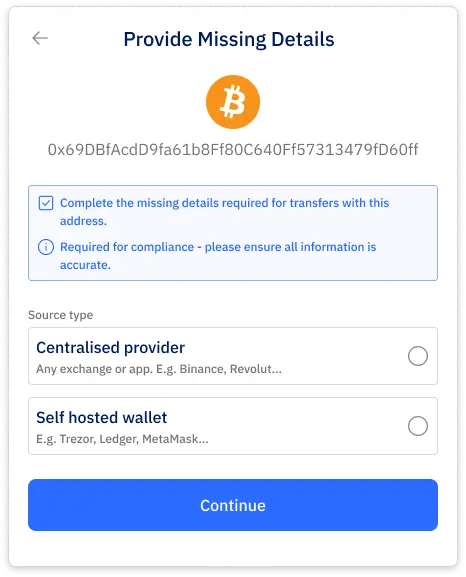
5. Confirm that the sending wallet address belongs to you
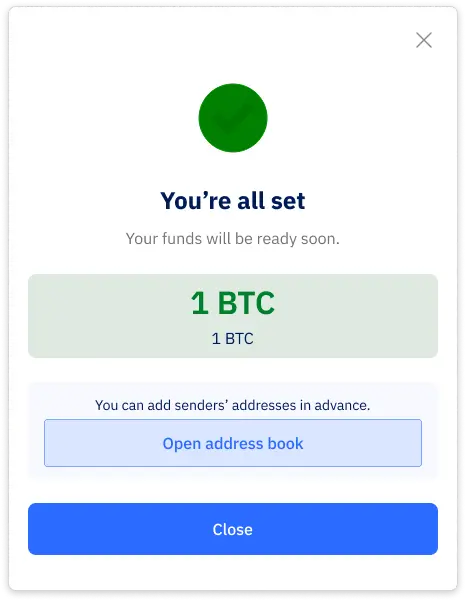
- Once completed, your funds will be credited to your main wallet.
Note:This step is mandatory for the funds to be credited to your main wallet. Until the acknowledgement is completed, the deposit will remain pending and will not reflect in your available balance.
Future deposits from the same address or provider will not require this step again.